Making a Task List with Real World Presence
Krill Use Case - Task list nodes with past due alerts driving LEDs on a Raspberry Pi.
Bringing a to-do list into the physical world
This is an introduction to the Krill Platform demonstrating just two of over 40 node types where each node type can perform a function and invoke other nodes observing it. You can do this yourself by installing Krill Server on a Raspberry Pi and using any of the apps to connect to it and create nodes.
In this demo, I use one node type - a TaskList - to track a list of tasks with due dates and Krill’s ability to control GPIO pins on a Raspberry Pi. Combining them together into an overdue alarm box.
Krill is not event driven, nodes observe each other in real time. The goal of this post is to share this fun use of two node types but also I really want to readers to take away the core concept of how krill works by chaining together nodes that observer and react to each other.
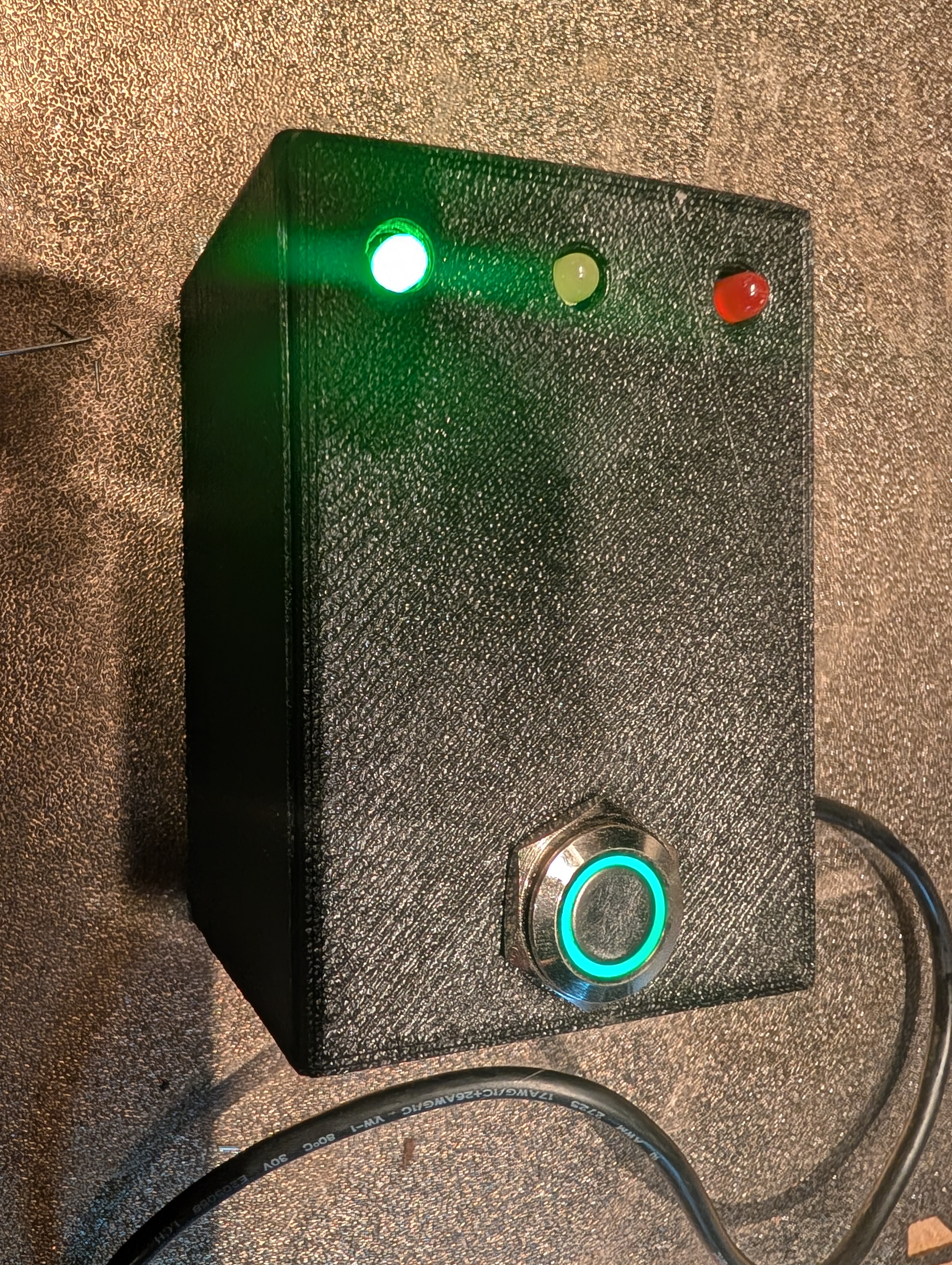
A to-do list on a screen is easy to ignore. You close the tab, the notification gets swiped away, and the thing you were supposed to do quietly rots. The whole reason I built Krill was to take processes that live in software and give them a body — a buzzer that sounds, a light that flashes, a valve that opens. So I asked the obvious question: what if my task list could turn on a light on my desk?
This post is that build. A Raspberry Pi in a box I printed myself, three LEDs — green, blue, red — and a single momentary push button. Each LED is wired to a Krill TaskList of a different priority. When a task on a list goes past due, that list’s LED comes on. When I’ve handled everything, I mash the button and all three go dark. It’s the most satisfying thing on my desk, and it’s a clean worked example of the two ideas that make a Krill swarm tick: nodes observe each other as data sources, and a node is invoked when a source it’s watching fires.
The build
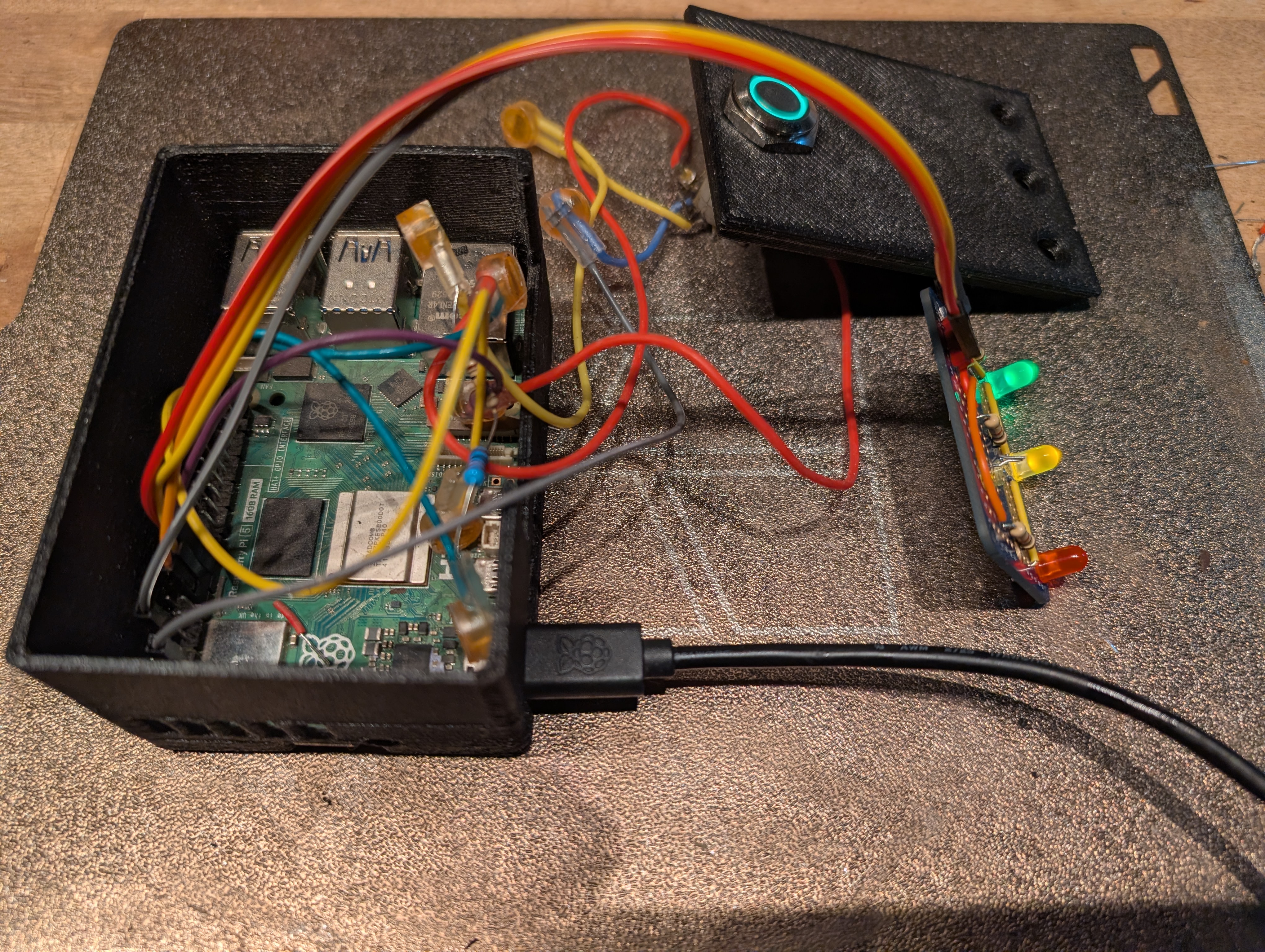
The enclosure is a simple printed box sized for a Pi 4 with a top panel drilled for three 5mm LEDs and a 12mm momentary switch. Nothing exotic — the interesting part is entirely in how the pins are wired in Krill, not in the plastic.
- A Raspberry Pi running Krill Server It owns the GPIO header, so the Pins live on this server.
- Three 5mm LEDs — green, blue, red — each in series with a ~330 Ω current-limiting resistor to ground. Pi GPIO is 3.3 V at ~16 mA, which is plenty to drive an indicator LED directly with no transistor.
- One 12mm momentary push button — wired between a GPIO input and ground, configured as a digital input.
Everything is a node
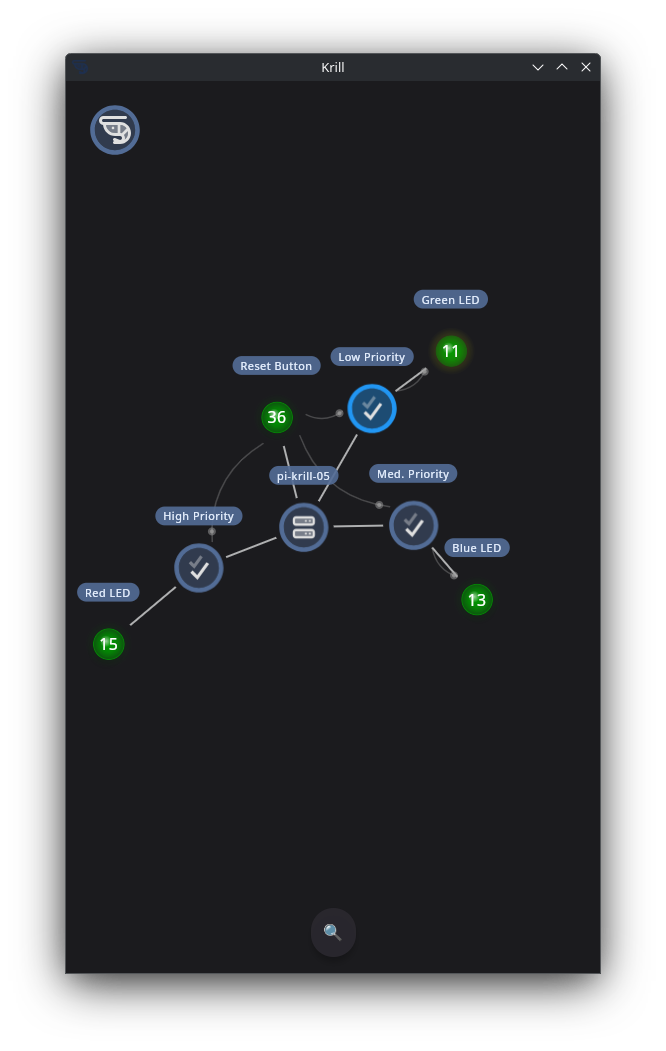
Before the wiring makes sense, the one-paragraph version of how a Krill swarm works: every part of this build is a node. The three TaskLists are nodes. The three LEDs are Pin nodes. The button is a Pin node. None of them has a controller telling it what to do. Instead, each node observes one or more sources — other nodes it’s watching — and when a source changes, every node watching it is invoked to re-evaluate itself. The source doesn’t push commands; the invoked node wakes up, reads what it needs, and decides for itself.
The LED is an output pin that observes a list
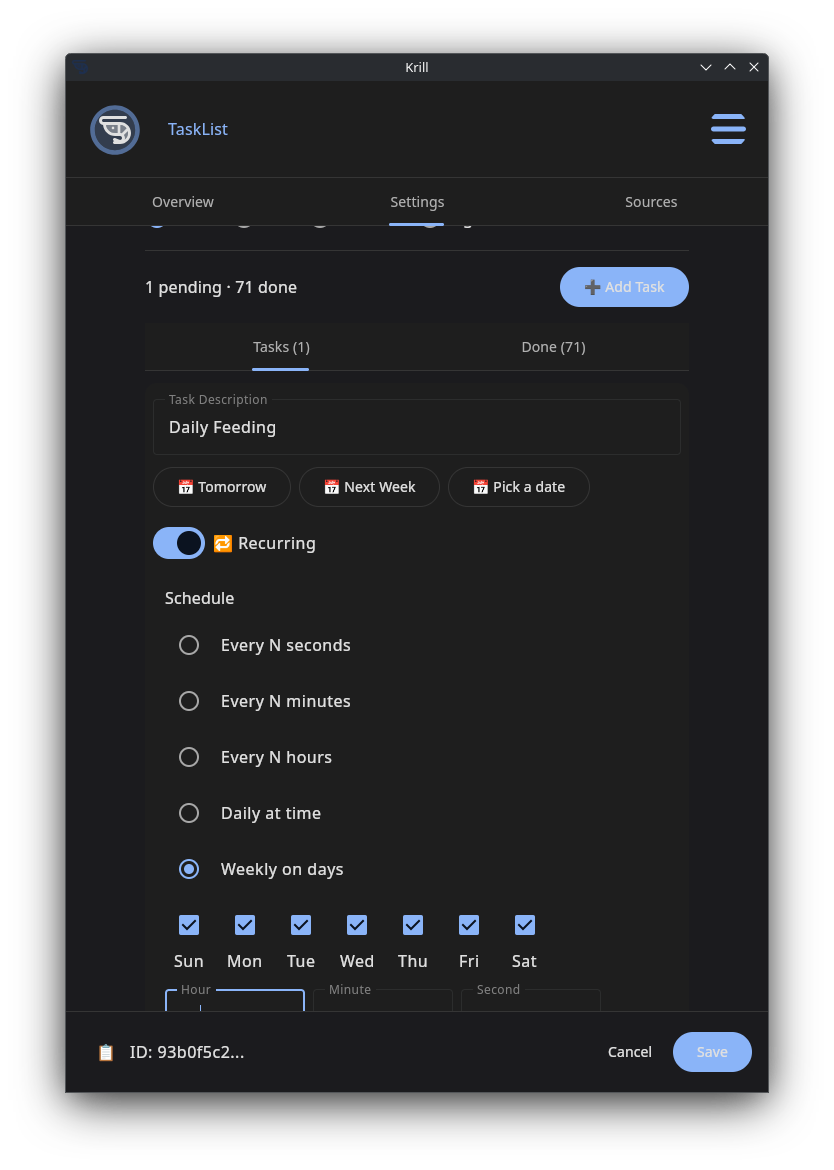
This is where Krill’s Pin observer model does the work. An output Pin can watch a single digital input and drive its physical pin to match. You don’t toggle the LED by hand and you don’t write a script — you wire the Red LED pin’s source to the High Priority list and walk away.
From then on the chain runs itself:
- A task on the High Priority list goes past due. The list fires.
- Every node watching that list is invoked — here, the Red LED pin.
- The pin reads its source’s digital value (1, past due), and drives GPIO 17 high. The red LED comes on.
When the list goes back to all-clear, it fires again, the pin reads 0, and GPIO 17 goes low. The light tracks the list with no polling logic of my own — the list’s state is the pin’s state.
One button clears everything
The button is the other half, and it shows off verbs — the second half of the nodes-and-sources model. When a source fires, it carries a verb describing the kind of action flowing downstream. The two you meet most are Execute (do your forward action) and Reset (return to your cleared, idle state). A receiver applies the source’s verb — so a single Reset upstream stands down an entire downstream chain in one motion.
The Reset Button is a digital input Pin, and all three TaskLists list it as a source. So when I press it:
- The button pin fires a Reset down to everyone watching it.
- All three lists are invoked with Reset and clear — every open task gets marked complete.
- Each cleared list drops to 0 (all clear) and, in turn, fires its own LED pin.
- All three LEDs go dark together.
One press, one cascade, three lights out — and I never wired a “turn the LEDs off” path. The lights went dark because the lists went clear, and the LEDs were only ever mirroring the lists. That’s the payoff of the observer model: you wire what’s true, not what should happen.
Recurring tasks make it a loop, not a one-shot
A board you clear once and never see again isn’t much of a board. The trick that makes this live on my desk forever is recurring tasks. Give a task a recurrence — say “every Monday 9am” — and completing it doesn’t delete it. Krill advances its due date to the next occurrence and re-arms it.
So the full cycle is:
- Monday 9am rolls around → the recurring task on the High Priority list goes due → the list fires → the red LED lights.
- I do the thing and press the button → the task is marked complete → the recurrence advances its due date to next Monday → the list drops to all-clear → the red LED goes dark.
- A week later, the future task comes due again → the light comes back.
The box becomes a perpetual, physical heartbeat for my routines. Daily tasks pulse the green LED, the weekly maintenance lights the blue one, and anything I’ve flagged HIGH lights the red one the instant it slips. No notifications to dismiss, no app to open — just lights that are either on or off across the room.
Why this is the whole point of Krill
Strip the plastic away and what’s left is the argument I keep coming back to: everything in a Krill swarm is a node with one job, and nodes become each other’s inputs. A TaskList’s job is to track due dates. A Pin’s job is to drive a physical line. Neither knows anything about the other — I just told the LED to watch the list, and the list to watch the button. The behavior emerged from the wiring.
A list of overdue chores is data. The instant you can read that data as a clean 1-or-0 signal, you can hang anything off it. Today it’s an LED. Swap the output pin for a relay and an overdue task sounds a buzzer. Wire it to a webhook and it posts to a channel. Send an email reminder. Point it at a servo and a recurring task you keep ignoring can, quite literally, have a robotic arm bonk you on the head until you do it.
That’s Krill’s reason to exist: it takes the processes you already run — chores with due dates, in this case — and gives them a presence in the physical world. The light on my desk isn’t a gimmick. It’s a process that finally got a body.
Related
- How Nodes, Verbs, and Sources Work — the observe/invoke/Execute/Reset model this whole build rides on
- Task Lists — creating lists, priorities, and due dates
- Recurring Tasks & Expiry Automation — how a list fires when a task is overdue, and how recurrence re-arms it
- Raspberry Pi GPIO Pins — input/output pins, BCM numbering, and the output-pin observer pattern
- Relays and Solenoids — swap an LED for something that moves
- Outgoing Webhook Executor — send the same overdue signal to the cloud
Last verified: 2026-06-09 on pi-krill-05.local