Timers
Delay an action by a fixed duration after a trigger fires — and cancel the countdown with a reset before it completes.
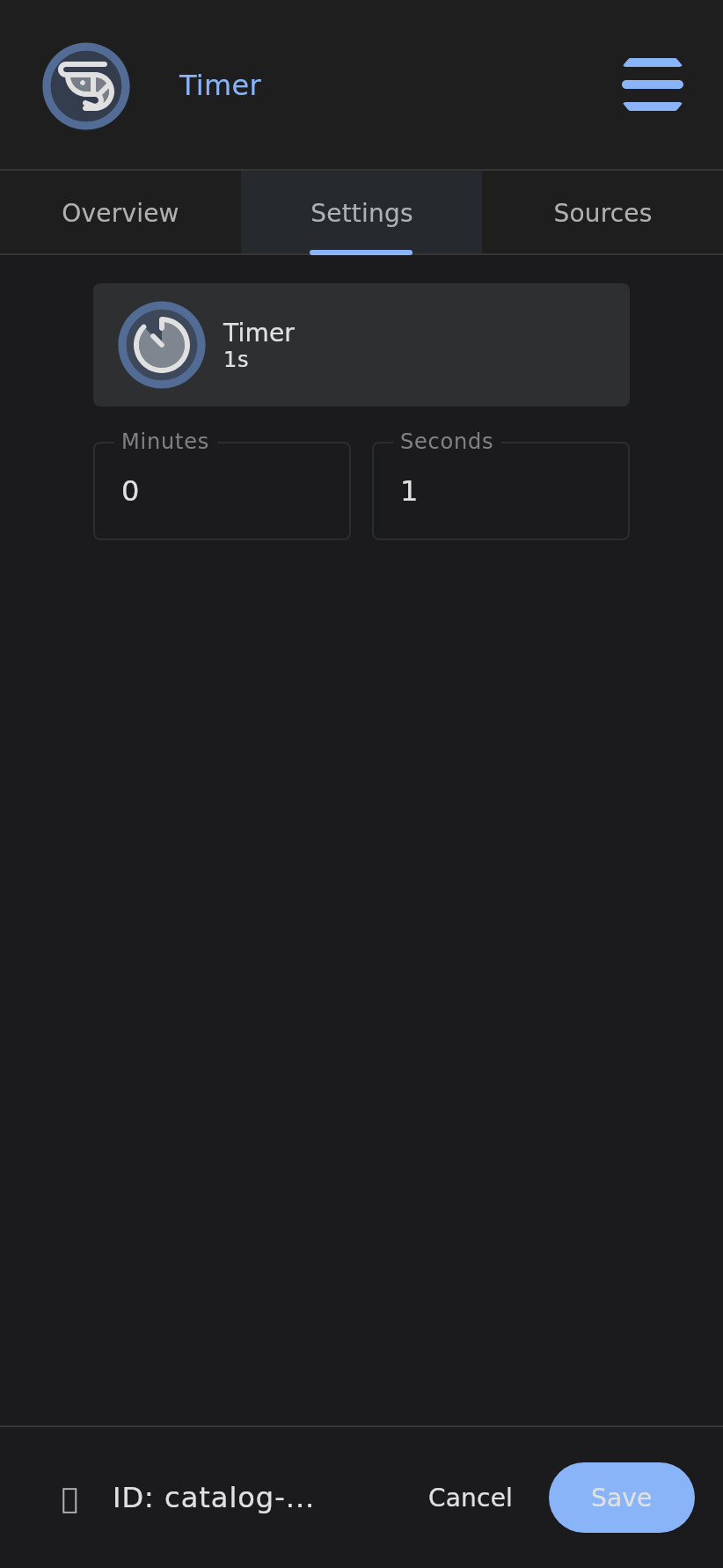
The Timer is a countdown trigger. When a source fires it, the Timer waits a configured duration — seconds, minutes — and then invokes its observers. Nothing happens at the moment it is triggered; the whole point is the gap between the trigger and the action.
Unlike the Cron Timer, which fires on a schedule, a Timer fires a fixed duration after it is invoked. And if a source fires it with RESET while it is still counting down, the countdown is cancelled and nothing fires at all.
Overview
Most automation is immediate: a condition becomes true, an action happens. The Timer inserts a deliberate delay into that chain. It answers the question “do this — but not yet, wait this long first”, and gives you a way to call the whole thing off before it lands.
Because it is a Trigger, the Timer decides when something happens; its child Executors decide what. The Timer simply moves that “when” a fixed distance into the future.
Key Features
- Fixed-Duration Delay: Configure a countdown in minutes and seconds; the action fires when it elapses
- Cancellable: A source firing RESET stops the countdown before it completes — nothing downstream runs
- Restartable: Firing EXECUTE again restarts the clock from the top, so repeated triggers keep pushing the deadline out
- Server-Side: The countdown runs as a single cancellable job on the Krill server, so it survives client disconnects
- Live Countdown: Connected clients draw an animated countdown pie on the node so you can watch the time tick down
- One-Shot: Each countdown fires its observers exactly once, then returns to rest
How It Works
A Timer is driven entirely by the verbs its sources send it — EXECUTE starts the clock, RESET stops it.
graph TD
    A[Source fires Timer] --> B{Verb?}
    B -->|EXECUTE| C[Start countdown<br/>node enters PROCESSING]
    B -->|RESET| D[Cancel countdown<br/>nothing fires]
    C --> E{Countdown<br/>complete?}
    E -->|Reset arrives first| D
    E -->|Delay elapsed| F[Invoke observers]
    F --> G[Timer returns to rest]
    D --> G
- Start: A source invokes the Timer with EXECUTE. The node enters
PROCESSINGand the server records the start instant. - Countdown: A server-side job waits the configured
delay. A client connecting mid-countdown resumes the animation from the right offset. - Fire: When the delay elapses, the Timer announces itself on its observable flow — every node that lists this Timer as a source is invoked — and then settles back to rest.
- Reset: If a source fires RESET while the countdown is still running, the job is cancelled, the countdown animation stops immediately on every client, and no observers fire.
Info: A second EXECUTE during an active countdown restarts the clock rather than stacking a second timer. This makes a Timer a natural debounce — repeated triggers keep deferring the action until things finally go quiet for the full duration.
Configuration
| Field | Description | Required |
|---|---|---|
| Minutes | Whole minutes of the countdown | Yes |
| Seconds | Additional seconds of the countdown | Yes |
The two fields combine into a single delay duration. The node’s chip shows the configured time at a glance — 45s, 1m 30s, 2m — so you can read a Timer’s length without opening the editor.
Sources and the verb each source sends (EXECUTE to start, RESET to cancel) are wired on the node’s Sources tab, exactly like every other trigger.
Use Cases
- Turn something off after a delay: A motion sensor turns on a light, a Timer turns it back off two minutes later
- Delay an action after a sensor trips: Wait 30 seconds after a door opens before sounding a chime
- Debounced one-shot: Re-fire on every event so the action only lands once activity has settled for the full duration
- Grace periods: Give an operator a window to cancel an automated shutdown before it executes
- Sequencing: Stagger a series of actions by chaining Timers of different lengths
- Auto-revert: Hold a relay or pin in a temporary state, then return it to default when the Timer elapses
Example Workflows
Motion-Activated Light with Auto-Off:
- Motion Data Point → High Threshold fires on motion
- Threshold turns a light pin ON, and fires a Timer (
2m) with EXECUTE - Timer elapses → Executor turns the light pin OFF
- More motion? The new trigger re-fires the Timer with EXECUTE, restarting the two minutes so the light stays on
Cancellable Shutdown:
- Button “Begin Shutdown” fires a Timer (
30s) with EXECUTE - A second Button “Abort” fires the same Timer with RESET
- If nobody aborts, the Timer elapses → Outgoing Webhook executes the shutdown
- If “Abort” is pressed first, the countdown cancels and nothing runs
Delayed Alert:
- A sensor trigger fires a Timer (
5m) with EXECUTE - The same trigger’s clear condition fires the Timer with RESET
- Only if the condition holds for the full five minutes does the Timer fire an SMTP alert
Timer vs. Related Triggers
| Trigger | Fires | Cancellable | Watches |
|---|---|---|---|
| Timer | A fixed duration after it is invoked | Yes — via RESET | Nothing; driven purely by its sources |
| Cron Timer | On a clock schedule (cron expression) | No | The wall clock |
| Button | Immediately on user action | n/a | Manual input |
Reach for a Timer when the delay is the point and you want explicit control over starting and stopping it from elsewhere in your automation tree.
Integration with Other Features
The Timer works with:
- Executors: Run calculations, webhooks, Lambda scripts, or email alerts once the countdown lands
- Pins: Hold GPIO outputs in a temporary state and revert them after the delay
- Triggers: Wire any trigger as a source to start the countdown, and another as a source to reset it
- Logic Gates: Gate whether the Timer’s delayed action actually runs
The Timer is the simplest way to put time between a cause and its effect in the Krill Platform — and the RESET verb is what makes that delay something you can take back.
Related
- Cron Timer Trigger – Schedule-based workflow triggers
- How Nodes, Verbs, and Sources Work – EXECUTE, RESET, and source wiring
- Triggers – The decision half of Krill automation
Last verified: 2026-05-31