SMTP Email Alerts
Send email alerts from any Krill trigger with the SMTP executor — wire it to thresholds, cron timers, or logic gates to notify recipients via your own SMTP relay.
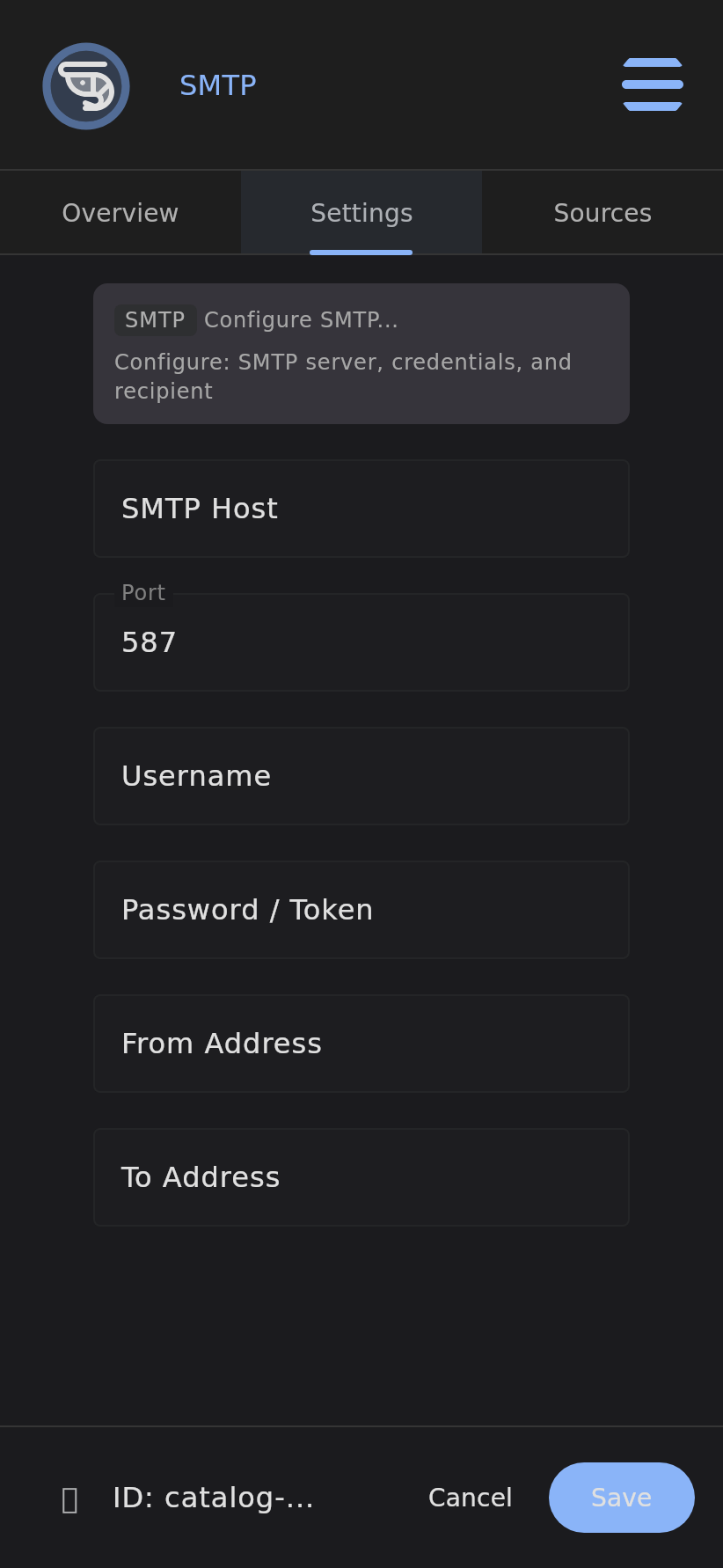
The SMTP Executor sends email notifications when triggered by any Krill event chain. Wire it to a threshold trigger, a cron timer, a logic gate, or any other trigger to get email alerts when conditions are met.
How It Works
The SMTP executor is a child of any trigger node. When the parent fires, the executor builds an email from its configured source DataPoint (subject = DataPoint name, body = current value + timestamp) and sends it via your SMTP relay.
Execution chain example:
1
DataPoint (temperature) → HighThreshold (> 30) → SMTP (send alert)
When the temperature DataPoint exceeds 30, the threshold fires, the SMTP executor sends an email with the current value.
Configuration
Add an SMTP executor as a child of any trigger or data-connected node. The editor exposes these fields:
| Field | Description | Default |
|---|---|---|
| Host | SMTP relay hostname (e.g., smtp.gmail.com) | (required) |
| Port | SMTP port | 587 |
| Username | SMTP auth username (often your email address) | (optional if relay allows unauthenticated) |
| Password | SMTP auth password or app-specific password | (optional) |
| From Address | Sender address (defaults to username if empty) | (optional) |
| To Address | Recipient address | (required) |
TLS Behavior
- Port 587 (default): Uses STARTTLS upgrade
- Port 465: Uses implicit SSL/TLS
- Other ports: Uses STARTTLS
Source DataPoint
Wire a DataPoint as a source to include its name and current value in the email. Without a source, the email body is a generic “SMTP executor node was executed” message.
Gmail Setup
- Enable 2-factor authentication on your Google account
- Generate an App Password for “Mail”
- Configure the SMTP node:
- Host:
smtp.gmail.com - Port:
587 - Username:
your.email@gmail.com - Password: (the 16-character app password)
- From:
your.email@gmail.com - To: (recipient)
- Host:
Troubleshooting
“SMTP host is not configured” — The host field is empty. Enter your relay hostname.
“Recipient address is not configured” — The To Address field is empty.
Connection timeout — Verify the host and port are reachable from your Krill server. Try telnet smtp.gmail.com 587 from the Pi.
Authentication failed — Double-check username and password. For Gmail, you must use an App Password, not your regular password.
“SMTP error: …“ — The error message from the mail server is shown in the node’s error field. Check the server logs for details: journalctl -u krill -f.
Related
- High Threshold – Over-limit detection triggers
- Cron Timer – Schedule-based workflow triggers
- Data Points – Sensor readings and measurements
- Getting Started – Quick start guide
Last verified: 2026-05-21