New Krill MCP Server Claude Skill
Total home automation, process control, and insights with Claude — the Krill Claude skill gives you complete control of your swarm from natural language.
Talk to Your Swarm with Claude
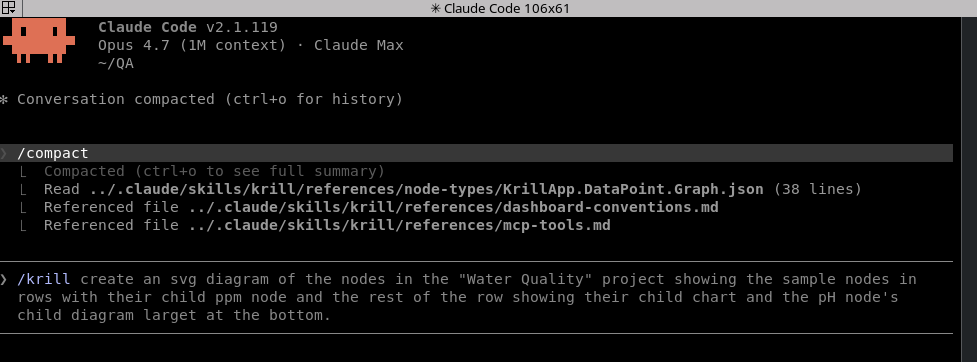
Krill now ships a Model Context Protocol server — krill-mcp — that lets Claude Desktop and Claude Code drive a Krill swarm directly. Pair it with the bundled Claude skill and Claude can discover your servers, read sensor history, create nodes, and author live SVG dashboards from a plain-English prompt.
1
2
3
4
5
6
7
8
9
10
11
┌──────────────────────┐                ┌────────────────────────┐
│  Claude Desktop/Code │                │   Krill server (Pi)    │
│  (Custom Connector)  │───HTTPS MCP────▶│                        │
└──────────────────────┘   :50052/mcp   │   krill-mcp daemon     │─┐
                                        └──┬─────────────────────┘ │
                                           │ HTTPS /nodes, /node/* │
                                           ▼                       │
                                        ┌────────────────────────┐ │
                                        │   Krill server peers   │◀┘
                                        │   (auto-discovered)    │
                                        └────────────────────────┘
krill-mcp runs as a small Ktor daemon on any Debian box on your LAN. It speaks MCP over Streamable HTTP on port 50052, authenticates Claude using the same 4-digit cluster PIN as the rest of the swarm, and fans out to every Krill server it can find. One install covers your whole swarm.
1. Set up the Krill Debian repo
If you’ve already installed krill or krill-pi4j from apt, you can skip this — you’ve already added the repo. Otherwise, follow the one-time setup here:
That post adds the signing key and APT source so the rest of the install is just apt install.
2. Install krill-mcp
On the host you want to expose to Claude — typically the same Pi running krill, but any Debian box on the LAN works:
1
2
sudo apt update
sudo apt install krill-mcp
The package’s postinst script does one of two things:
- If
krillis already installed on the same box, it symlinks/etc/krill-mcp/credentials/pin_derived_key→/etc/krill/credentials/pin_derived_keyand you’re done. No prompts. - Otherwise, it asks for the same 4-digit PIN you use for the Krill apps. The PIN is HMAC-SHA256’d locally (key
"krill-api-pbkdf2-v1") — the PIN itself never leaves the machine.
When the install finishes, it prints the bearer token and the Custom Connector URL. Copy both — you’ll paste them into Claude in the next step. You can re-print them anytime with:
1
sudo krill-mcp-token
The service is enabled via systemd and listens on :50052. /healthz is unauthenticated for liveness checks; everything under /mcp requires the bearer.
To add the MCP to Claude Code on another machine, use this command:
1
claude mcp add --transport http krill http://[hostname]:50052/mcp --header "Authorization: Bearer [token]"
3. Add the Custom Connector in Claude
In Claude Desktop, open Settings → Connectors → Add custom connector, and paste:
| Field | Value |
|---|---|
| Name | krill (or whatever you like) |
| URL | http://<your-host>:50052/mcp |
| Authorization | Bearer <token from postinst> |
Claude Code uses the same connector definition — once Desktop has it, the CLI picks it up too.
4. Install the companion skill
krill-mcp ships with a documentation-only Claude skill that teaches Claude how to drive the MCP tools — including the SVG dashboard authoring conventions and the full catalog of all 37 Krill node types. Without the skill, Claude knows the tools exist but has to guess at conventions; with it, Claude reasons about your swarm the way the docs do.
Clone the OSS repo and symlink the skill into your local Claude install:
1
2
git clone https://github.com/Sautner-Studio-LLC/krill-oss.git
ln -s "$(pwd)/krill-oss/krill-mcp/skill/krill" ~/.claude/skills/krill
That’s the whole skill install. Restart Claude (or /skills reload in Claude Code) and the krill skill is available — Claude pulls it in automatically when your prompt mentions a Krill swarm, a node type, or a dashboard.
What it looks like in practice
A few prompts that work as soon as the connector and skill are in place. Each one uses a different slice of the MCP tool surface — discovery, time-series reads, node creation, dashboard authoring.
Discover the swarm
“What Krill servers are on my network and what’s running on each one?”
Claude calls list_servers, then list_nodes per server, and gives you a grouped summary with node types translated into human terms (“3 DataPoints, 2 Triggers, 1 Cron timer, 1 Project”) rather than raw FQNs.
Inspect a sensor
“Show me the last 24 hours of readings from my CO2 sensor on
pi-krill-05.”
Claude resolves the sensor by name via list_nodes, calls read_series with the right time range, and summarizes the trend — peaks, troughs, anything that crossed a Trigger threshold.
Spin up a new automation
“On
pi-krill-01, create a Project called ‘Greenhouse’, a DataPoint for soil moisture, a Trigger that fires when it drops below 30%, and a Pin Executor that flips GPIO 17.”
The skill points Claude at the bundled node-type specs (KrillApp.Project, KrillApp.DataPoint, KrillApp.Trigger, KrillApp.PinExecutor), Claude validates the parent/child wiring against each spec, then calls create_node four times in the right order. You get the new tree back as a confirmation.
Author a live dashboard
“Build me an SVG dashboard for the Greenhouse project — two big tiles for the soil moisture and tank-level DataPoints, the Trigger status underneath.”
Claude reads references/dashboard-conventions.md, lists the project’s nodes, stages the SVG in /tmp, emits one <rect id="k_<uuid>" .../> per bound node, then calls create_diagram to upload the file and create the KrillApp.Project.Diagram node. Krill’s clients render the live overlay on top of your layout — the LED chrome, the value formatting, the threshold colors all come from each node’s runtime state.
Ask Claude to improve the dashboard later (“make the soil moisture tile bigger and add the new pH DataPoint to the bottom row”) and it round-trips through get_diagram → edit → update_diagram, preserving anchor IDs that are still in use.
Record a value or tear something down
“Record a soil moisture reading of 42 right now.”
record_snapshot writes one {timestamp, value} pair onto the DataPoint, validated against its dataType.
“Delete the Greenhouse project.”
delete_node cascades on the server — Project, Diagram, every DataPoint and Trigger underneath, all in one call. Claude requires confirm: true for destructive ops, so it’ll always show you what it’s about to delete first.
What’s in the toolbox
The full surface — read, write, and dashboard authoring — is documented in the README. At a glance:
- Discovery & inspection:
list_servers,list_nodes,get_node,read_series,server_health,reseed_servers - Projects & diagrams:
list_projects,create_project,create_diagram,update_diagram,get_diagram,upload_diagram_file,download_diagram_file - Generic node authoring:
list_node_types,create_node,record_snapshot,delete_node
Every tool is a thin wrapper over the same Krill REST API your Krill apps use, authenticated with the same PIN-derived bearer. There’s no shadow data model — what Claude sees is what your swarm actually is.
Privacy
krill-mcp runs on your LAN. The Claude client connects directly to it; no Krill data ever traverses Anthropic’s servers except the prompt fragments and tool results that Claude itself processes — same as any other MCP custom connector. If you don’t want a particular sensor’s history exposed, don’t ask Claude about it. The bearer token gates everything; rotate the PIN and the token rotates with it.
Source & license
Apache 2.0. PRs welcome — especially new tools, additional skill references, and dashboard examples.
- Source: github.com/Sautner-Studio-LLC/krill-oss/krill-mcp
- Issues / requests: Issue Tracker
- Discuss: r/krill_zone
Last verified: 2026-04-25