Pi4J gRPC Service for Raspberry Pi
A gRPC serivice that provides access to Pi4J features on Raspberry Pi hardware, allowing you to control GPIO pins and sensors from a Java 21+ application without needing Java 25.
Pi4J Service for Rasberry Pi
The entire Krill Platform was built from the ground up in Kotlin Multiplatform which is how we can release apps for iOS, Android, Desktop, and web.
The server is also Multiplaform which means while we are focused on the debian server package and build around the Raspberry Pi ecosystem, you can run the server on any JVM platform. The Pi4J service is a companion project that allows you to use the latest Pi4J features without needing to run your entire app on Java 25.
This fits really well into our architecutre since it separates the hardware-specific code (Pi4J) into a small daemon that can run alongside the main Krill Server. Your main app can be on Java 21, and it talks to the Pi4J service over gRPC to control GPIO pins, read sensors, etc.
The krill-pi4j gives you the best of both worlds:
- Access to the latest Pi4J features and hardware support with Foreign Function & Memory API (finalized in JDK 22) giving you direct, fast access to the hardware.
- A gRPC bridge that allows you to use these features from a Java 21+ application without needing to run your entire app on Java 25. The gRPC interface abstracts away the hardware details and lets you control the Pi4J functionality from any JVM language.
- Control of a Pi Hardware from anywhere, not even needing to be installed on the same machine. You could run the Pi4J service on a Raspberry Pi and connect to it from a desktop app, server, or even an Android device.
- No need to worry about the complexities of running a full Java 25 environment on your main app, which can be especially beneficial for desktop applications or when you want to maintain compatibility with existing Java 21 codebases.
This is an open source project and we welcome contributions! If you have ideas for new features, improvements, or want to help with testing, please check out the GitHub repo!
Steps to using it are:
- Add our APT repository and install the
krill-pi4jpackage on your Raspberry Pi (instructions here). sudo apt install krill-pi4j- Add the
com.krillforge:krill-pi4jdependency to your Java/Kotlin project. - Use the
Pi4jClientclass to connect to the local gRPC service and control your hardware!
The latest release of Krill Server uses and requires this to work with the GPIO pins on a Raspberry Pi, so if you’re using those features, make sure to install the krill-pi4j service on your Pi!
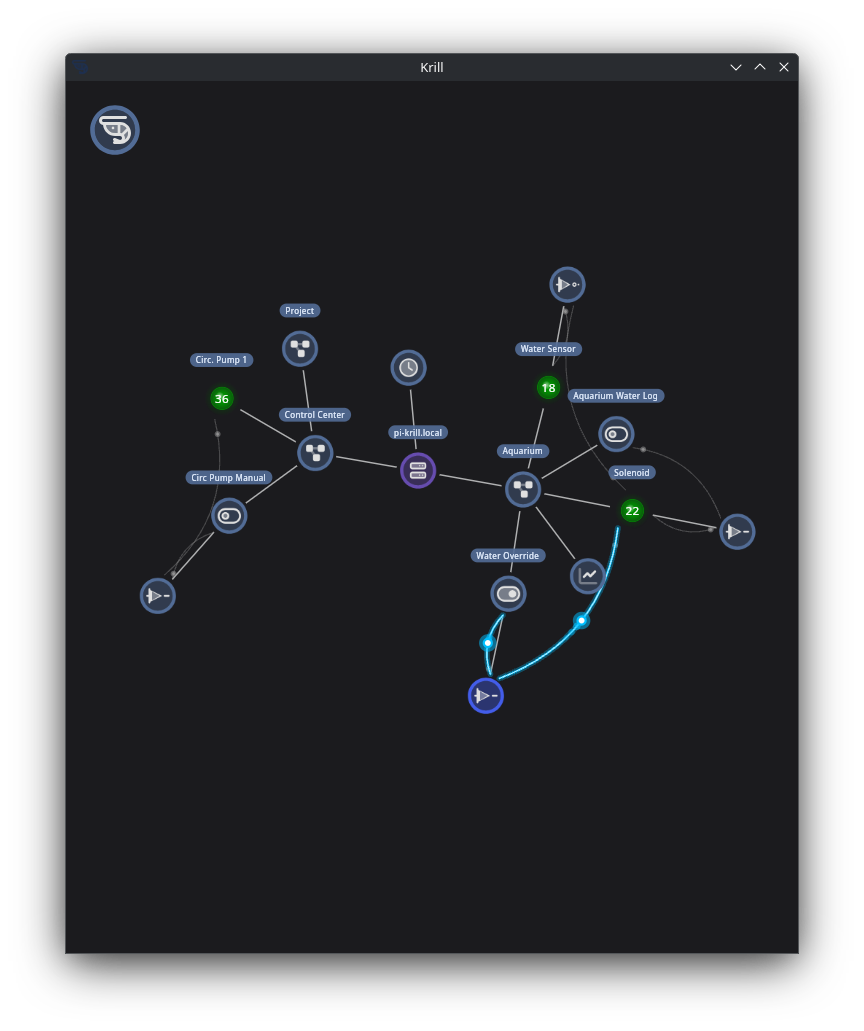 Krill Desktop App contolling a soloniod that tops off my aqurium when the water sensor is low with a digital converter NOT Logic Gate and manual toggle